Setup guide
iPhone & iPad setup. Ready in about 4 minutes.
Add OrigineTV to your iPhone or iPad with a player from the App Store.
- iPhone or iPad on iOS 12 or newerYou’ll need
- Your OrigineTV access detailsYou’ll need
- Wi-Fi or mobile dataYou’ll need
- Easy3 steps · ~4 min
Download a player
- 1
Open the App Store.
- 2
Search for UHF or IPTVX.
- 3
Tap Get and wait for the app to install.
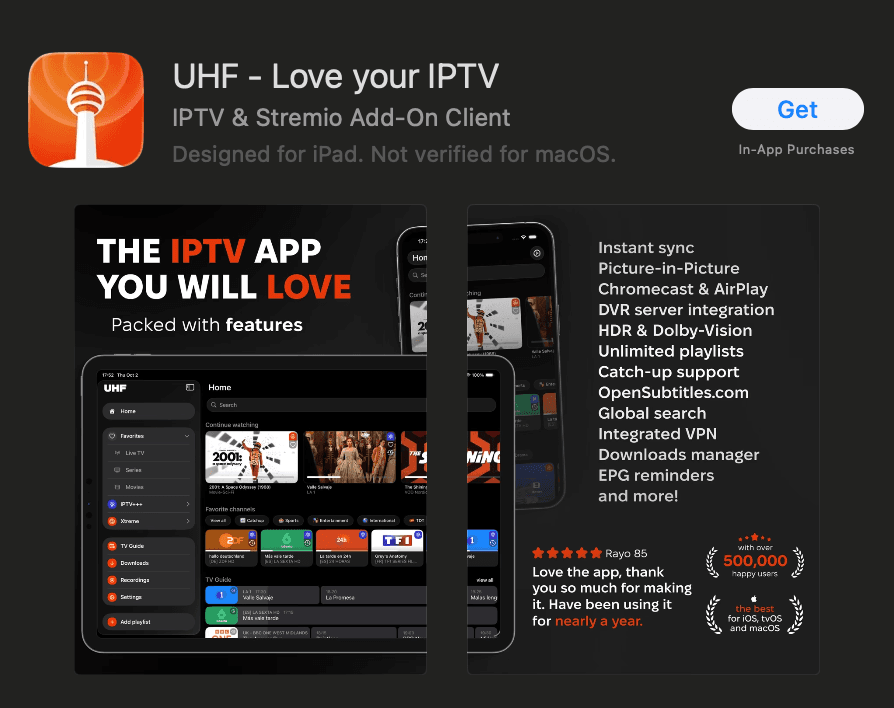
UHF — installed and ready to set up
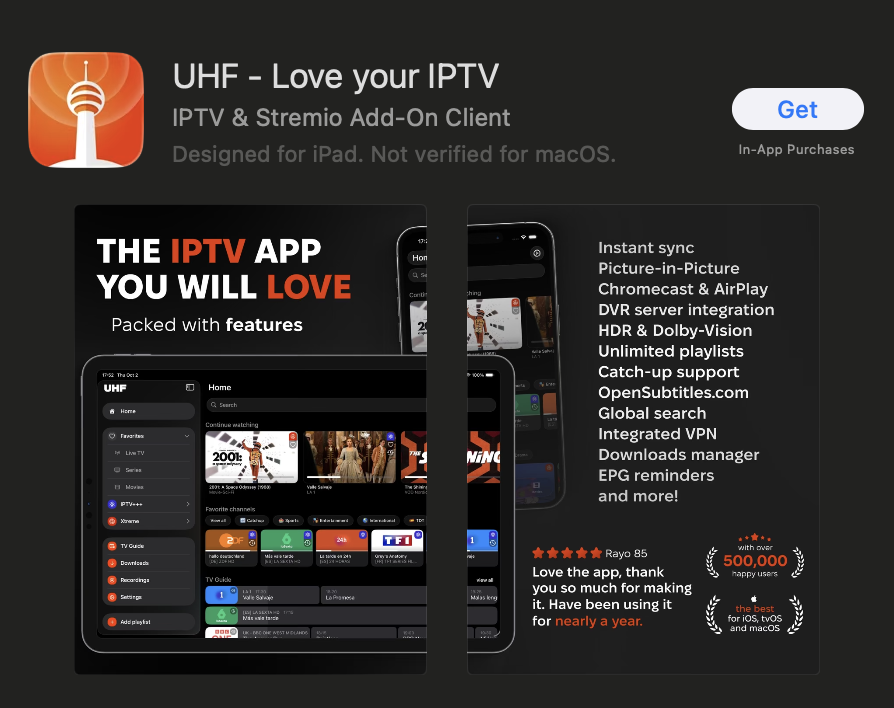
Add OrigineTV
- 1
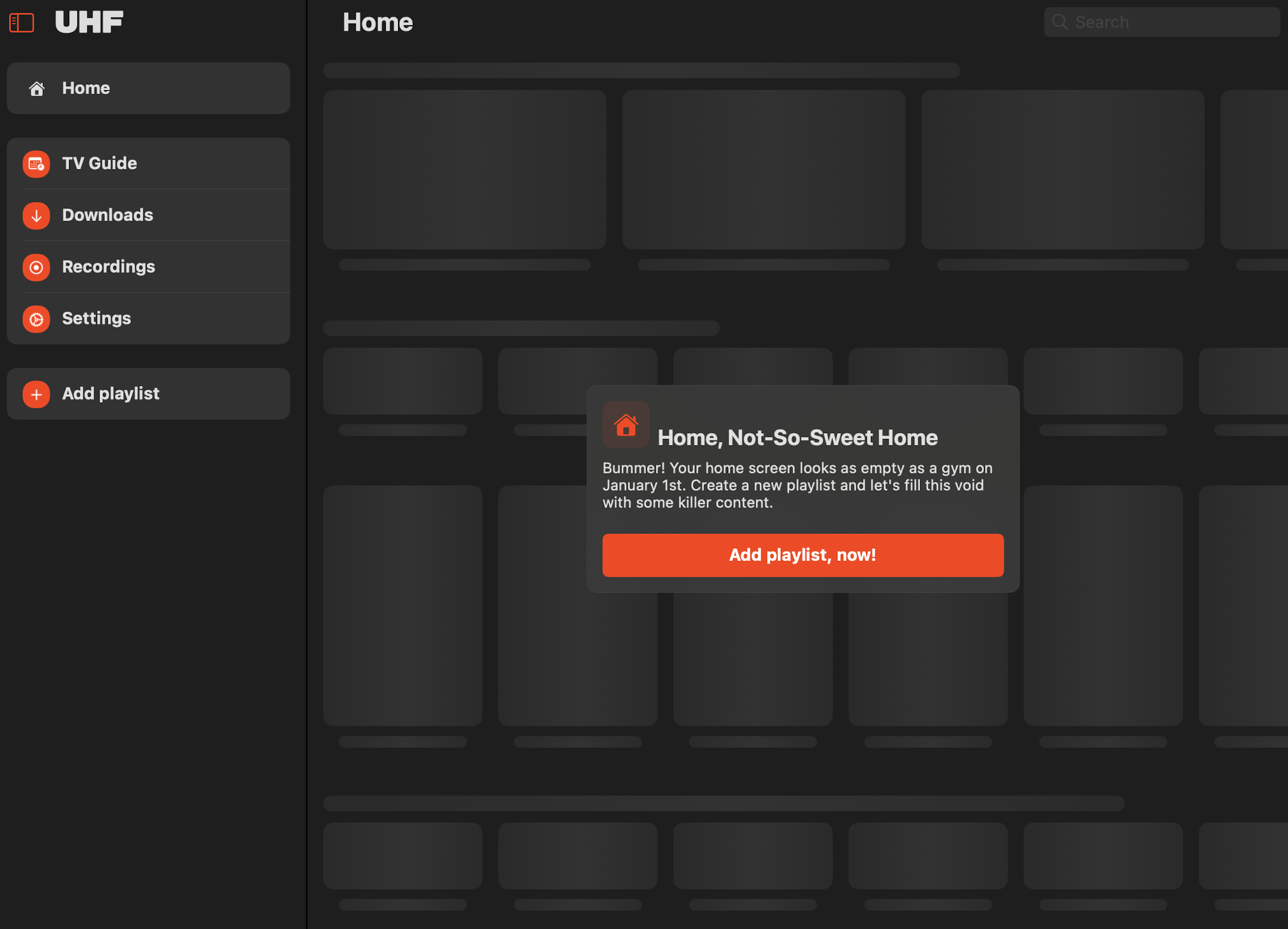
Open the app and tap Add playlist.
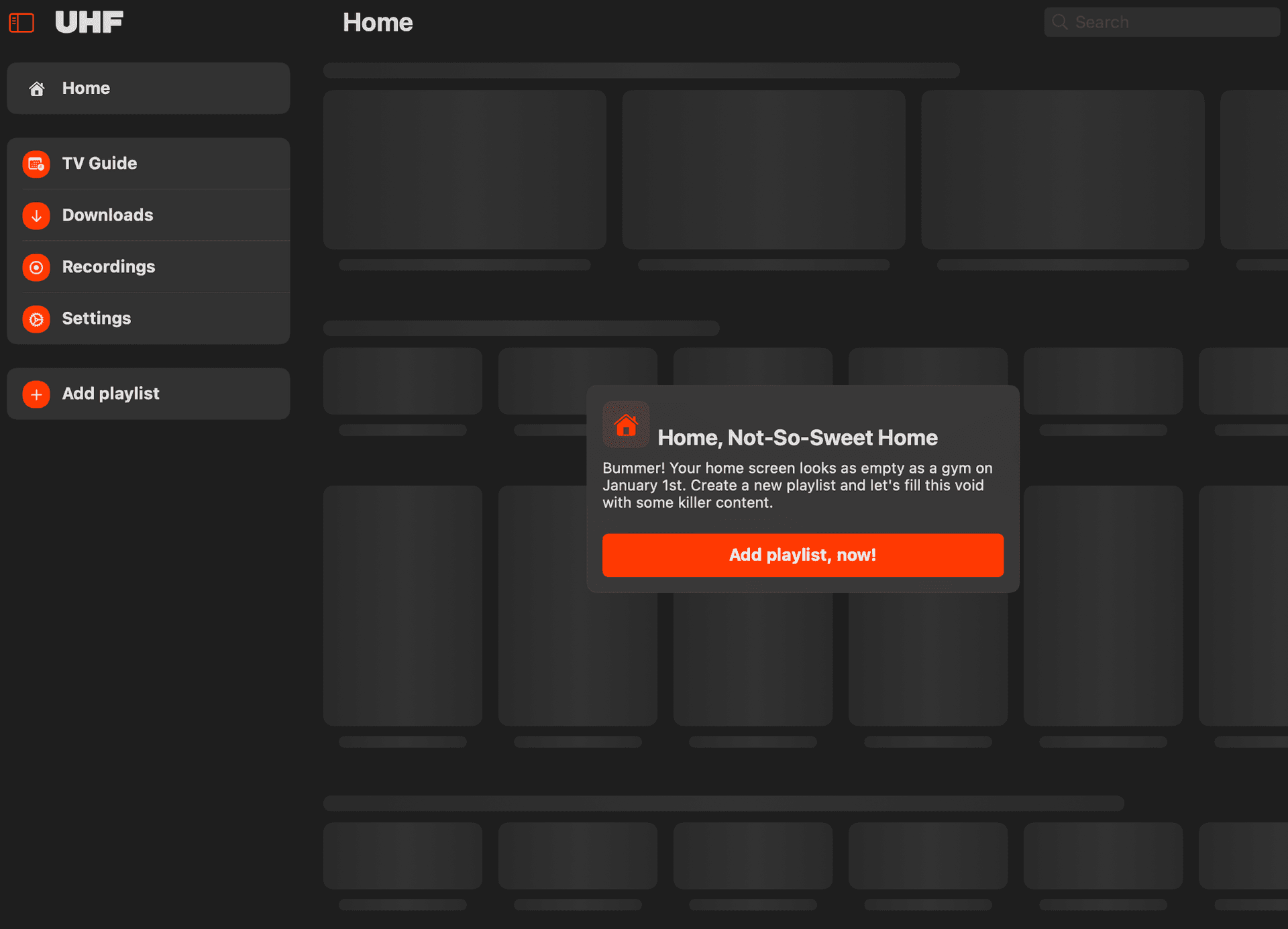
UHF — Add playlist - 2
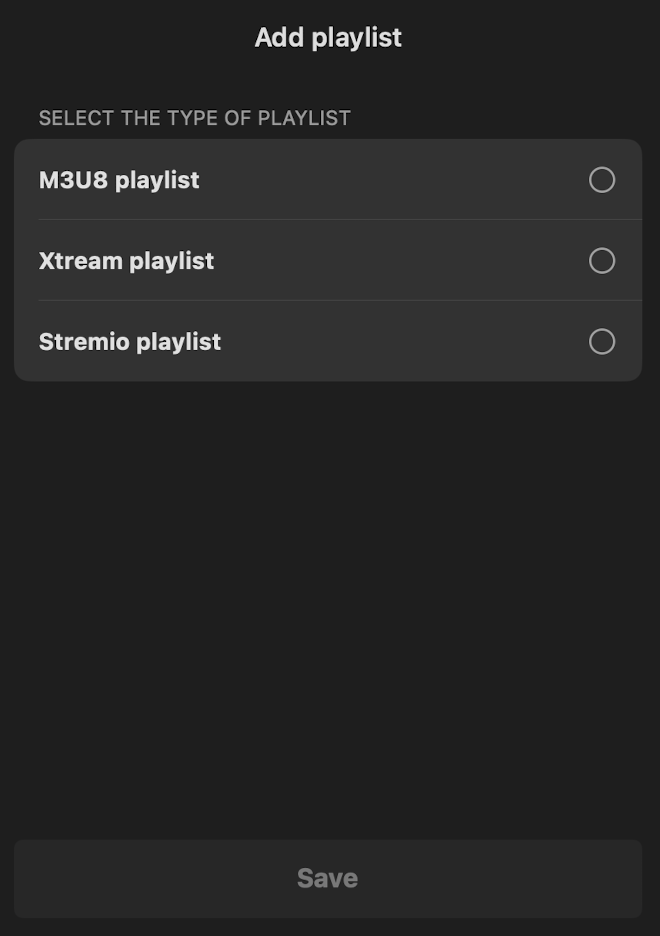
Choose Xtream Codes as the source.
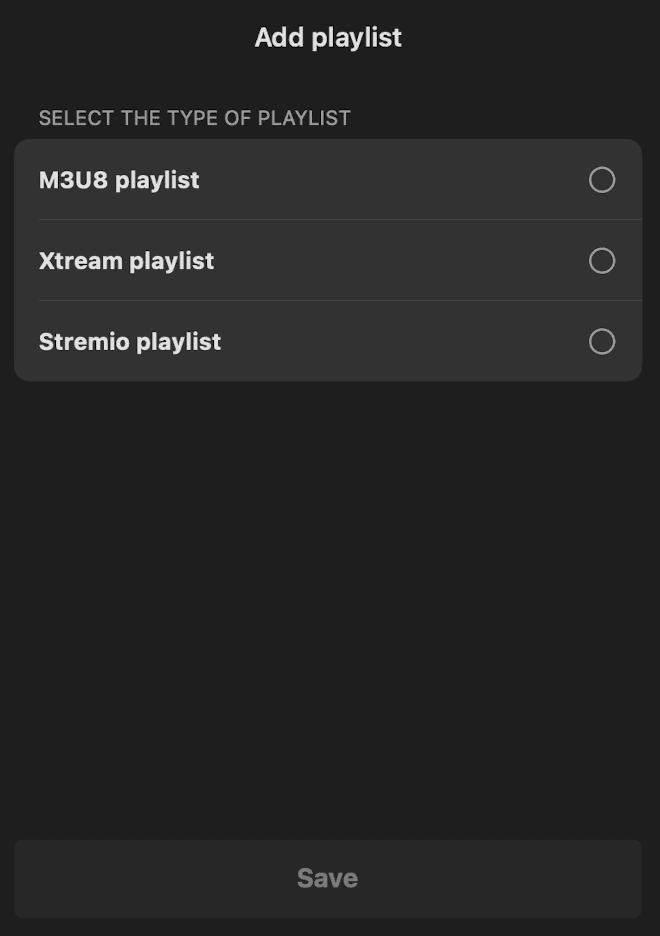
UHF — choose Xtream Codes - 3
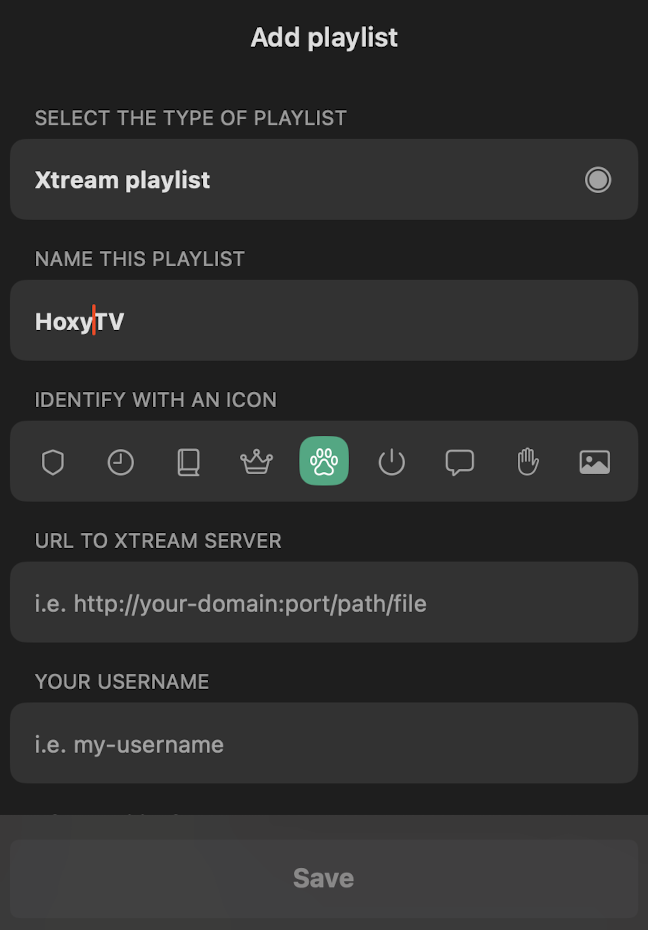
Enter your OrigineTV username, password and server address.
- 4
Tap Save and wait for your channels to load.
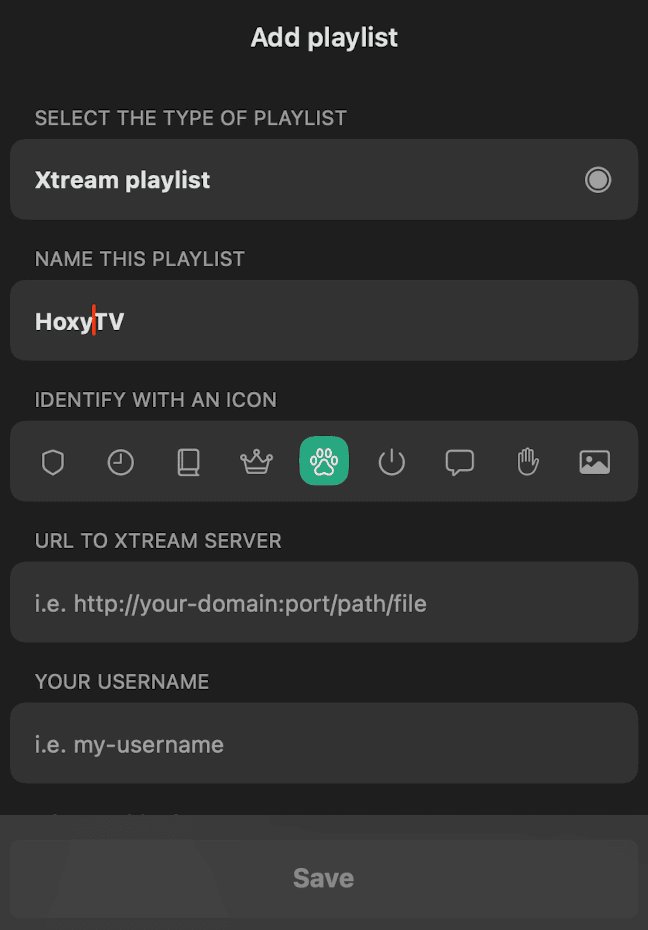
UHF — your playlist loaded
Fine-tune the picture
- 1
Open the app’s Settings.
- 2
Turn on Hardware decoding.
- 3
Set the connection timeout to 10 seconds.
- 4
Choose your preferred video quality.
Your iPhone & iPad is ready.
Open your player and enjoy OrigineTV. Channels missing or the picture not right? We’ll sort it out with you.
Other devices
Setting up another screen?

Support · 7 days a week
Still not connected?
Send us your device and a photo of the screen. A real person replies — usually within minutes — and stays with you until it works.