Setup guide
Samsung TV setup. Ready in about 5 minutes.
Install a player from Samsung Apps and connect your OrigineTV playlist.
- Samsung Smart TVYou’ll need
- Your OrigineTV access detailsYou’ll need
- A stable internet connectionYou’ll need
- Easy2 steps · ~5 min
Install a player
- 1
Open Samsung Apps on your TV.
- 2
Search for IBO Player or Hot Player.
- 3
Install the player and open it.
Connect your player
Pick one player — both work well with OrigineTV.
- 1
Open IBO Player and note the MAC address and device key shown on screen.
- 2
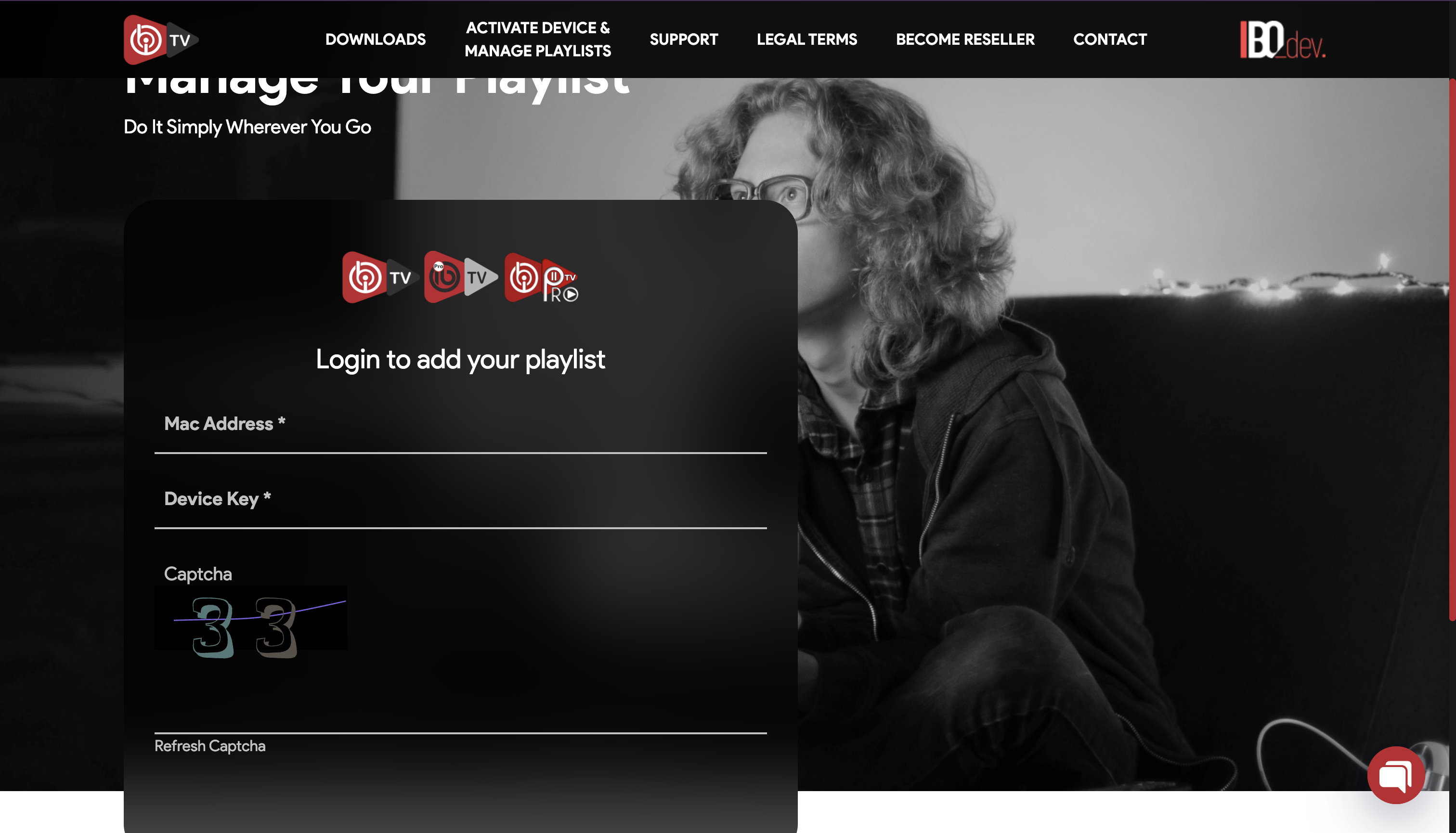
On a phone or computer, open the IBO device portal and sign in with the MAC address and device key.
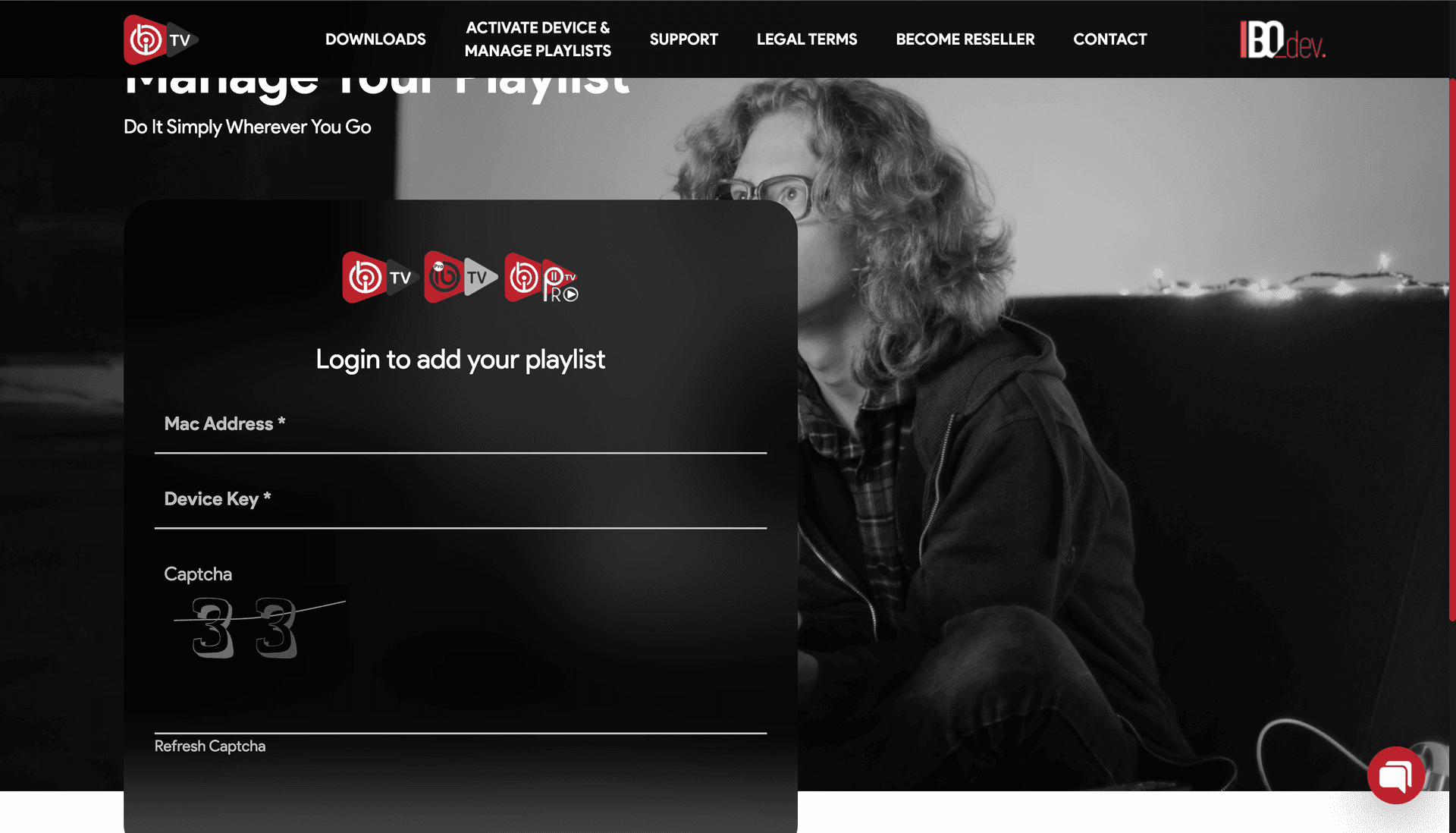
IBO device portal — sign in with the MAC address and device key - 3
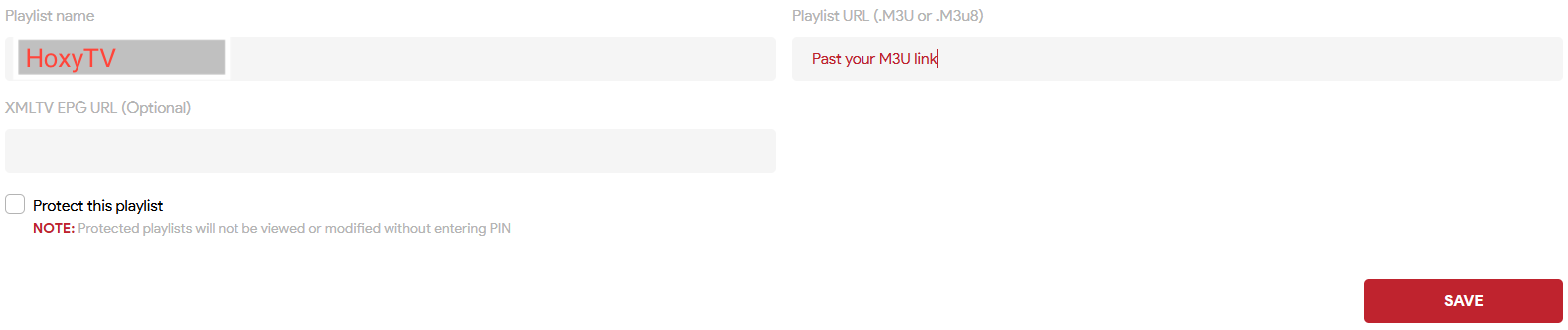
Select Add playlist, name it “OrigineTV” and enter your M3U link.
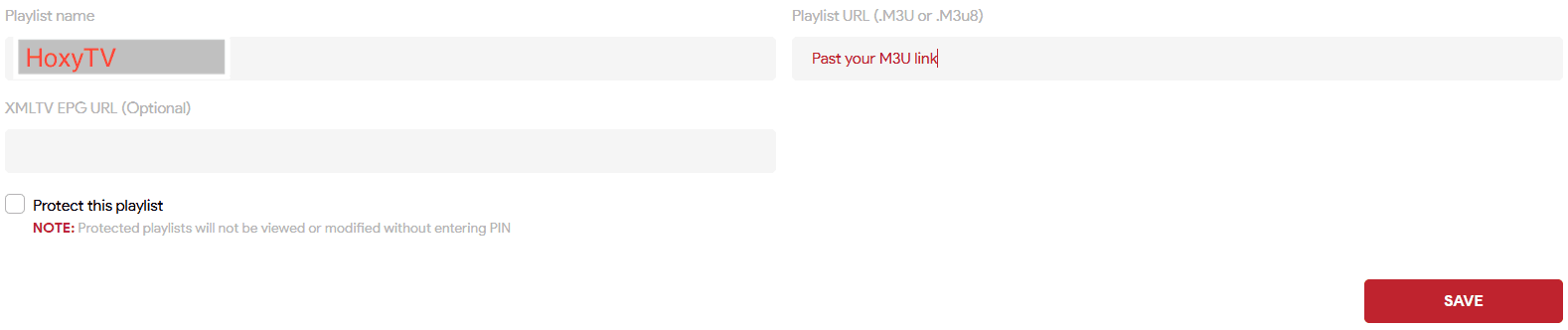
IBO device portal — add your playlist - 4
Save, restart IBO Player and wait for your channels to load.
- 1
Open Hot Player and note the MAC address shown on screen.
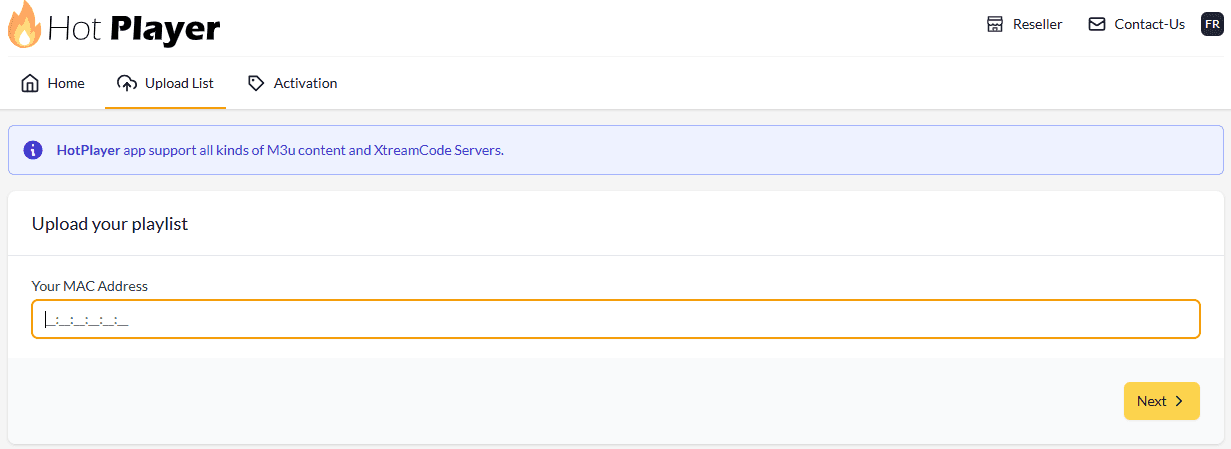
Hot Player — the MAC address on screen - 2
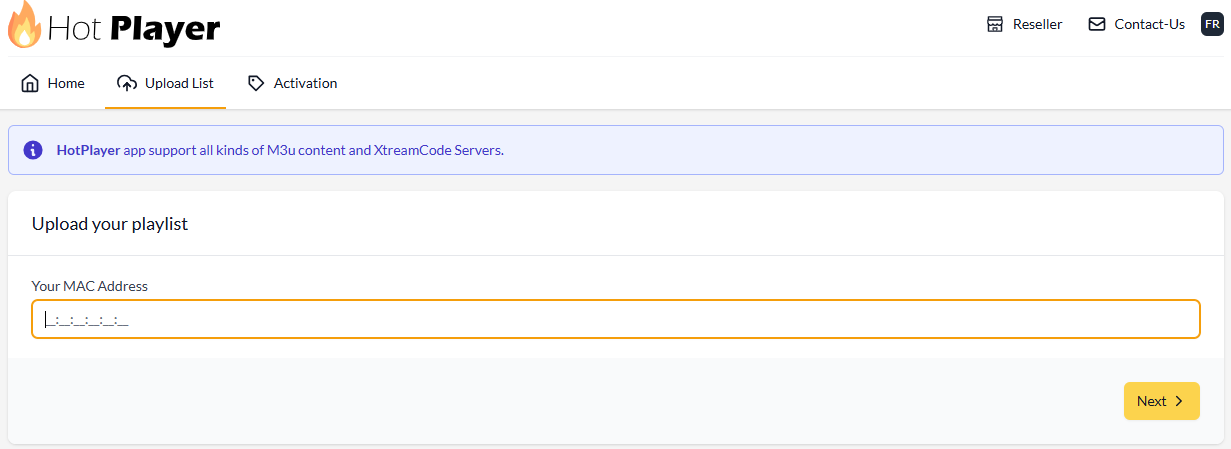
On a phone or computer, open the Hot Player upload page and enter the MAC address.
- 3
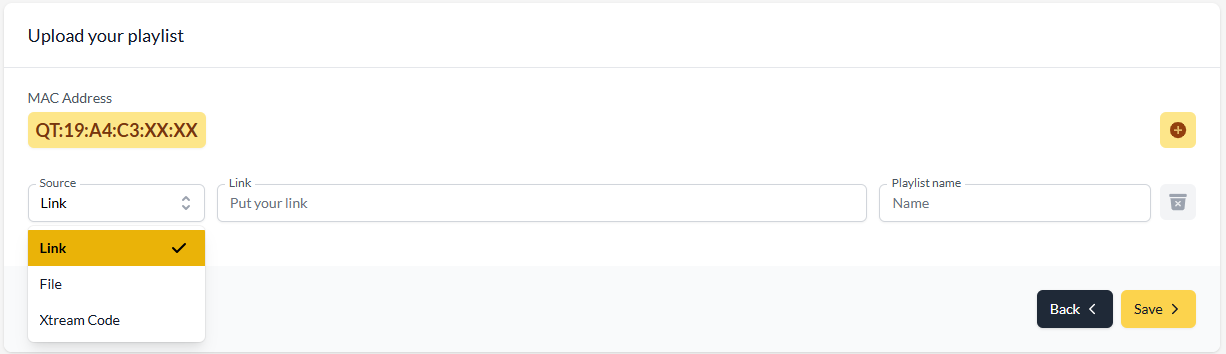
Choose M3U or Xtream Codes, enter your OrigineTV details and name the playlist “OrigineTV”.
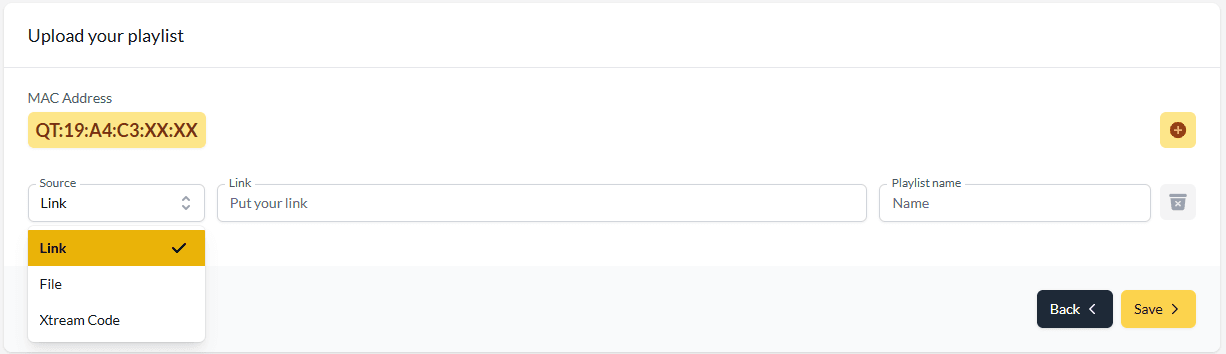
Hot Player upload page — add your playlist - 4
Save, restart Hot Player and wait for your channels to load.
Your Samsung TV is ready.
Open your player and enjoy OrigineTV. Channels missing or the picture not right? We’ll sort it out with you.
Other devices
Setting up another screen?
Support · 7 days a week
Still not connected?
Send us your device and a photo of the screen. A real person replies — usually within minutes — and stays with you until it works.